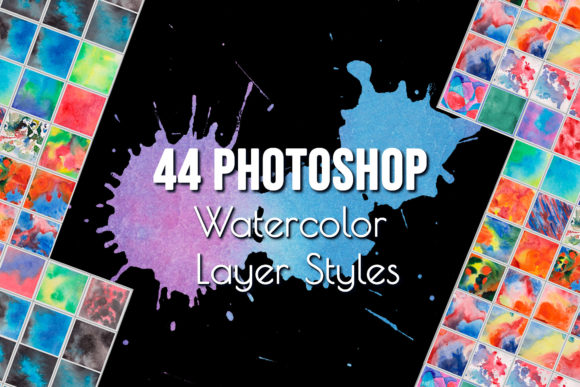
Mastering Watercolor Photoshop Layer Styles: A Creative Guide for Designers
Watercolor has long been a beloved medium in the world of art, known for its soft, flowing textures and organic feel. In today’s digital age, artists and designers have found new ways to bring this traditional technique into their workflow using tools like Adobe Photoshop. One powerful way to achieve realistic watercolor effects is through Photoshop Layer Styles. This article will explore how to use watercolor Photoshop layer styles to create stunning visual effects for various design projects.
What Are Watercolor Photoshop Layer Styles?
Watercolor Photoshop layer styles are pre-designed effects that can be applied to any layer in Photoshop to mimic the look and feel of hand-painted watercolor. These styles include gradients, textures, blending modes, and more, all combined to produce a natural, painterly appearance. They are especially useful for designers who want to add an artistic touch to their digital work without the need for physical painting supplies.
These styles come in the form of an .ASL file (Adobe Style Library), which can be easily imported into Photoshop and applied to text, graphics, logos, or any other design element. The watercolor_styles.ASL file included with this product contains a variety of customizable effects that allow you to experiment with different looks and colors.
Why Use Watercolor Layer Styles in Photoshop?
The beauty of using watercolor Photoshop layer styles lies in their versatility and ease of use. Whether you're designing a wedding invitation, a blog background, or a decorative card, these styles can help you achieve a unique and professional look in just a few clicks.
Here are some key reasons why designers choose to use these styles:
- Time-saving: Instead of spending hours manually creating watercolor effects, you can apply a style in seconds.
- Consistency: Using pre-designed styles ensures that your designs maintain a cohesive aesthetic across multiple projects.
- Customization: While the styles are pre-made, they can be adjusted to fit your specific needs, allowing for endless creative possibilities.
- Professional results: The realism of these styles makes them ideal for commercial projects, branding, and print media.
How to Use Watercolor Photoshop Layer Styles
Using watercolor Photoshop layer styles is straightforward, even for beginners. Once you've downloaded the watercolor_styles.ASL file, follow these simple steps:
- Open Adobe Photoshop.
- Go to the Layer menu and select Layer Style > Load Layer Style.
- Browse to the location where you saved the .ASL file and click Open.
- Select the desired style from the list and click OK to apply it to your selected layer.
Once applied, you can tweak the style by double-clicking on the layer in the Layers panel to open the Layer Style dialog box. From here, you can adjust settings such as opacity, blending modes, and color overlays to better suit your design.
Applications of Watercolor Photoshop Layer Styles
The versatility of watercolor Photoshop layer styles makes them suitable for a wide range of applications. Here are some common uses:
1. Backgrounds for Websites and Blogs
A soft watercolor background can add warmth and personality to a website or blog. It’s a great way to make your site stand out while maintaining a clean and elegant look.
2. Invitations and Cards
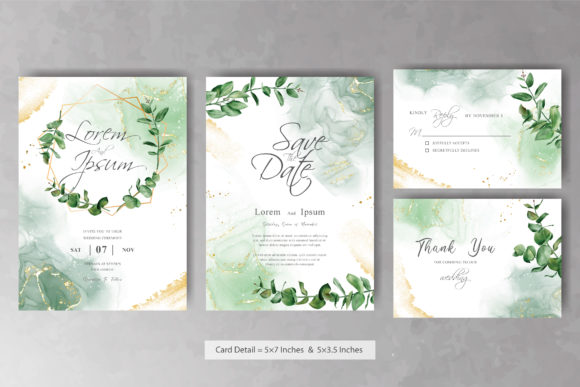
Wedding invitations, birthday cards, and greeting cards often benefit from a handcrafted feel. Using watercolor styles can give your designs a personal and artistic touch that paper-based watercolor might not always offer.
3. Logo and Branding Design
For logos and branding elements, watercolor styles can help create a unique identity that feels both modern and classic. They are particularly effective when paired with minimalist or vintage-inspired designs.
4. Decorative Paper and Fabric Designs
If you’re working on printed fabrics or decorative paper, watercolor styles can simulate the texture and flow of real watercolor paint, making your designs more visually appealing and tactile.
5. Digital Art and Illustration
Artists can use these styles to enhance their illustrations, adding depth and dimension to their work. They can also be used to blend different elements together seamlessly.
Common Misconceptions About Watercolor Photoshop Styles
While watercolor Photoshop layer styles are incredibly useful, there are some common misconceptions that may prevent designers from fully utilizing them. Let’s address a few of these:
Misconception 1: They’re only for beginners.
Reality: While these styles are easy to use, they are also valuable for experienced designers looking to streamline their workflow and achieve consistent results quickly.
Misconception 2: You can’t customize them.
Reality: Although the styles come pre-designed, they can be modified in numerous ways. You can change colors, adjust blending modes, and even combine multiple styles for a more complex effect.
Misconception 3: They don’t look realistic.
Reality: When used correctly, these styles can produce highly realistic watercolor effects. The key is to experiment with different combinations and settings to find what works best for your project.
Getting Started with Your Watercolor Photoshop Layer Styles
Now that you understand the basics of watercolor Photoshop layer styles, it's time to get started. With the watercolor_styles.ASL file, you’ll have access to a collection of professionally designed effects that can elevate your designs instantly.
Whether you're a graphic designer, web developer, or hobbyist artist, these styles can help you create beautiful, eye-catching visuals that stand out. Remember, the key to success is experimentation—don’t be afraid to try different combinations and settings to discover new creative possibilities.
If you have any questions about using the watercolor Photoshop layer styles, feel free to reach out. We’re here to help you unlock your creative potential and take your designs to the next level!
Thank you for stopping by, and happy designing!